
Your posting week, done in one sitting.
Schedchie is the cheapest unlimited social media scheduler: write a post once and it goes to every account you own on thirteen platforms. Unlimited accounts and posts for €7.99 a month, flat. X is a €4.99 add-on.
- 14-day free trial
- Cancel anytime, no questions asked
- We never see your passwords

The post as an Instagram feed post: a square photo of a sourdough loaf with the caption under it.
The same work, priced by four other tools
What each one charges billed monthly, from their own pricing pages. Every price links to its source.
Twenty accounts. Seven clients. One person.
Per month, billed monthly, at face value, currencies unconverted.
Hootsuite: per user, in euros from its signup price list for the euro area; its plans page shows annual billing only.
Monthly billing, in each tool’s own currency, unconverted, before VAT or sales tax where they add it. Buffer’s per-channel rate falls band by band past 10 and 25 channels. Metricool counts brands, one profile per network each: one brand per client here. Posting to X (€4.99 per 30 posts) is not counted.
What else is in the €7.99
One post, with a caption and file per account where you want one, previewed the way each platform will show it.
Bulk import from a CSV
One row per post, its photos and videos matched by file name, and every row checked against each platform's rules before anything is scheduled. Rows that need fixing come back as a file. CSV import, column by column
Analytics by platform and client
Followers, views, engagement and posts published, by platform or client Group, each against the previous period. Top posts across every account, a CSV export, and on Ultra a monthly client report as a PDF. Analytics, platform by platform
Live view and comment replies
The Live view lists what is actually on your accounts, posts made in the platforms' own apps included, each marked whether it went out via Schedchie. Open a post to reply to its comments on TikTok, LinkedIn, Threads, Bluesky, Mastodon and YouTube.
Connect your own assistant
ChatGPT, Claude, Cursor or VS Code can schedule and edit posts and pull last month's numbers. Opt-in, on every plan, trial included. How the AI connection works
- ChatGPT
- Claude
- Cursor
- VS Code
https://mcp.schedchie.com/mcp
Copy the URL, add it in your assistant, sign in to Schedchie.
Reliable publishing, every post accounted for
A post that quietly fails is the worst thing a scheduler can do. Schedchie checks every post before it goes, tries again when a platform has a hiccup, and shows you what happened on every account. We care how your posts land as much as you do.

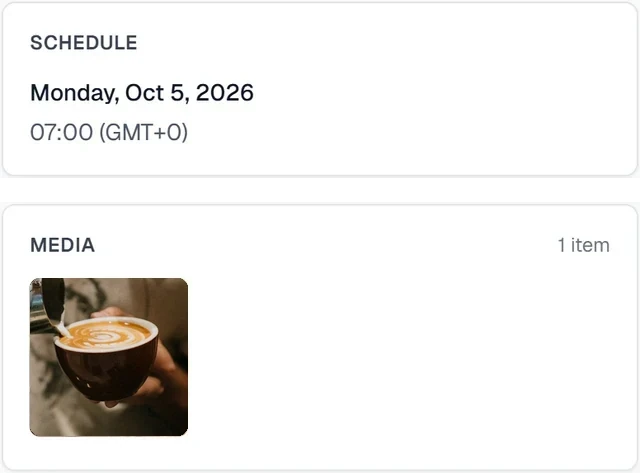
Checked before it goes
Your files and accounts are checked before anything is sent. If an account needs reconnecting, you hear about it instead of finding a failed post.

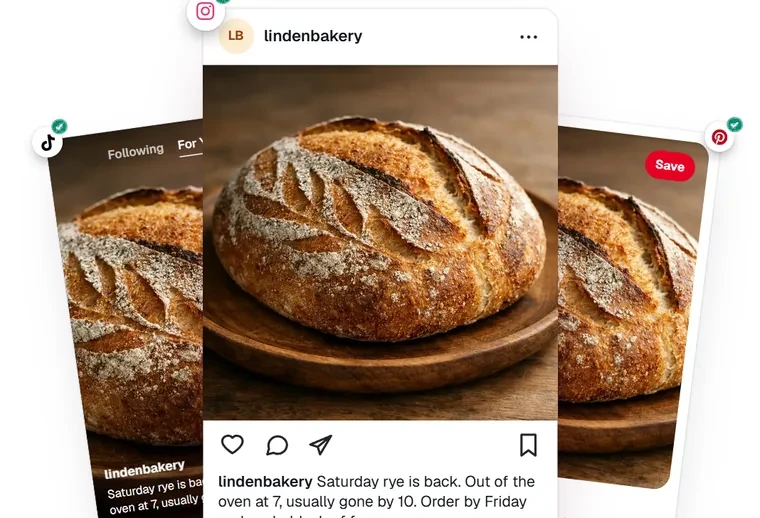
Full quality on every platform
Our media processing keeps every photo and video as sharp as each platform allows. Wherever a platform accepts your original, the original is what goes out.

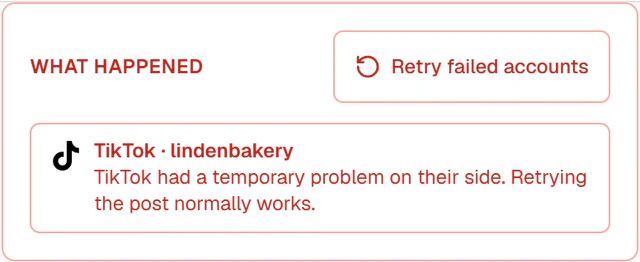
Retried only when it is safe
When a platform is briefly down, Schedchie tries again on its own. A post is never sent twice.

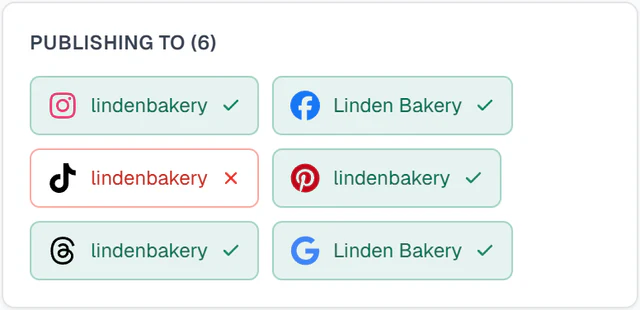
A result for every account
See where each post went out on every account and, where it did not, the reason in plain words.

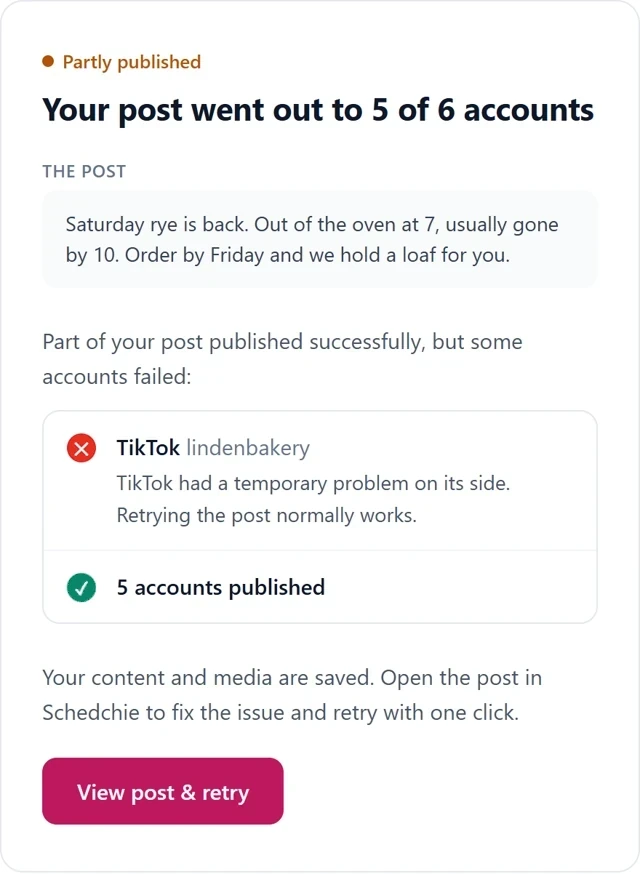
Told when it needs you
If a post still misses, we email you. If an account needs reconnecting, you see it in the dashboard and in your inbox.

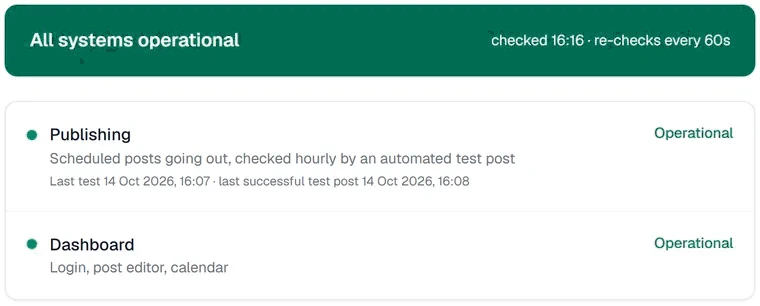
Tested every hour, in public
Every hour we publish a test post the same way yours go out. The result is on our status page. schedchie.com/status
Cheap doesn’t mean sketchy
Your accounts are only as safe as the tool you connect them to. This is what stands behind the price.
- Meta Tech Provider
- Meta has verified Schedchie as a Tech Provider since 2024, and approved its Facebook, Instagram and Threads publishing permissions in app review.
- Approved by TikTok and Google
- TikTok approved Schedchie for its API for Business. Google approved its access to the Business Profile API.
- Official sign-in, official APIs
- Every account connects on the platform’s side, through its own sign-in or, on Telegram, by adding our bot to your channel. Every post goes through the official API. No password sharing, no browser automation.
- Encrypted at rest
- Your account connections are protected with AES-256-GCM encryption.
The dashboard, as it is
One calendar for every account you connect: what is scheduled, what went out, and what failed and why.
Every post on its day. Its time, its accounts and a thumbnail.
Month, week, day or list. Four views of the same posts.
Live. What is on your accounts right now, posts made outside Schedchie included.
Repeat. One post that goes out again daily, weekly or monthly.
Approvals. On Ultra a member's post waits for your OK. Clients review by link with no login, on every plan.
Bulk import and presets. A CSV of posts scheduled in one go; per-platform settings saved once.
In a phone browser. The same calendar, one day at a time: every post, its accounts and its status.
Client work, without per-client math
Unlimited Groups on the €7.99 plan: a new client never changes the price.


One Group per client.
Each client gets their own Group, calendar and connected accounts. Invite your VA to exactly the Groups they run.
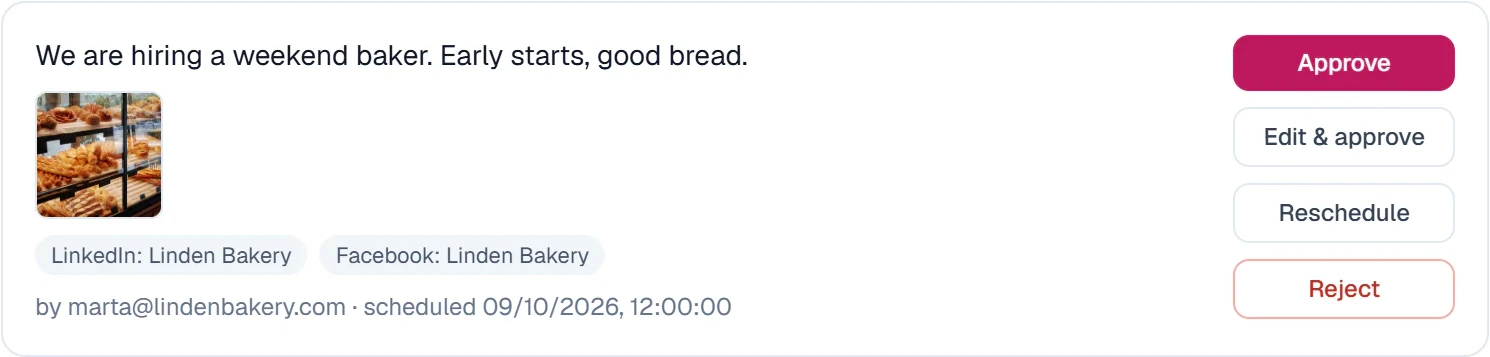
Hold their posts for you.
Each teammate either publishes freely or needs your approval. With approval on, nothing they schedule goes live until you approve it, retries and reschedules included.
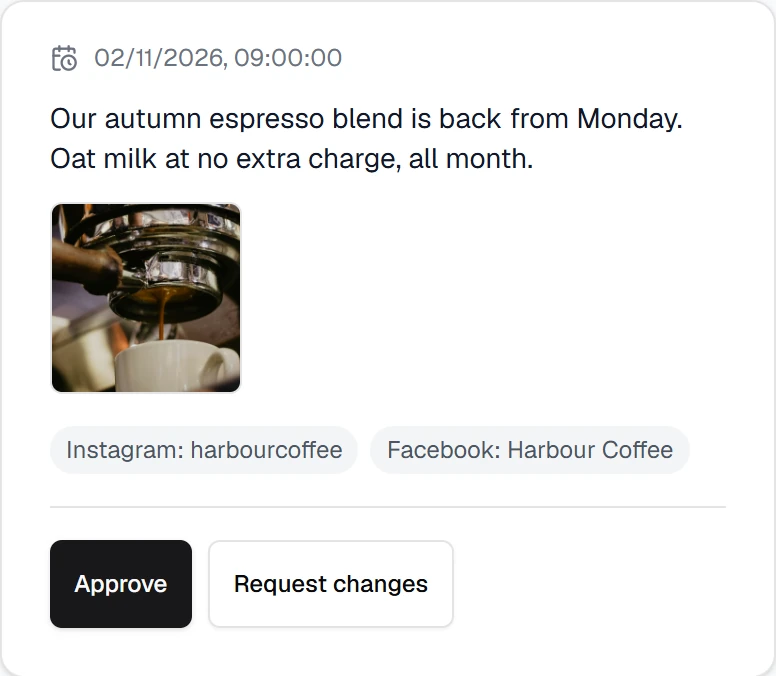
Client review links.
Clients approve or ask for changes from a link in the browser, with no account, and never count as a seat. On every plan.
€24.99 a month on Ultra. Three teammates included, each on a free account of their own.
The price, for the record
Pro does the whole job. Ultra adds the people: teammates, approvals and client connect links.
Free trial
€0 first 14 days
then €7.99 a month
- Unlimited connected accounts
- Unlimited scheduled posts
- All 13 platforms, each with its own formats
- The full product, 14 days The trial is the full plan you pick, for 14 days.
ProStart here
€7.99 a month
about 26 cents a day
- Every account you manage
- Every post you schedule, no monthly counter A paid plan has no post cap. Schedule as much as your accounts need.
- Unlimited Groups, one per client or brand
- Calendar and list views, recurring posts, drafts and notes
- Analytics on 12 platforms, with CSV export
- Client review links, no account needed Send a client one link to approve upcoming posts. They need no account.
Ultra
€24.99 a month
- Everything in Pro
- Three invited members
- Post approvals With approval on, nothing a teammate schedules goes live until you approve it.
- Client connect links The client signs in to Facebook and adds their Pages and linked Instagram accounts to their Group: no Schedchie account, no password shared.
- Monthly client report One month of the accounts you pick, under your agency’s name and logo, saved as a PDF. Only what each platform reported.
- Higher daily upload limit 5,000 media files a day, against 2,000 on Pro.
- Invites scoped to specific Groups
- A 30-day activity view
- Priority support
- New features first
- Deeper listening, coming soon
Enterprise
Contact us
- Everything in Ultra
- 10 invited members
- A direct line to the developers
- Custom features
- Dedicated workflows
Cancel anytime, no questions asked.
X add-on€4.99for 30 posts, valid for 30 days.
Flat. Connecting the seventh account and posting the 31st time does nothing to it.
Before you start it
A 14-day free trial of the plan you pick, on your own accounts. Nothing is sandboxed: the posts you schedule in it go out for real.
- Which plan should I start?
- Pro, if you run your accounts on your own. Ultra for larger workflows: three invited members, post approvals, client connect links, priority support and new features first.
- What happens after 14 days?
- On day 15 the trial becomes your plan and your scheduled posts keep going out. End it before then and it does not.
- Can I cancel?
- Cancel anytime, no questions asked. Click your profile in the bottom left, then Settings → Manage billing. You keep access until the end of the period you already paid for.
Anything else is on the FAQ and in the help center, or ask a human on the contact page.
Bring the accounts. Leave the meter.
Connect your accounts and load next month's posts from one CSV.
Start free trial14-day free trialCancel anytime, no questions asked